



USB Connection requires MIDI Designer 10.30.1, which was released on August 2, 2026.
MIDI Designer Server for macOS
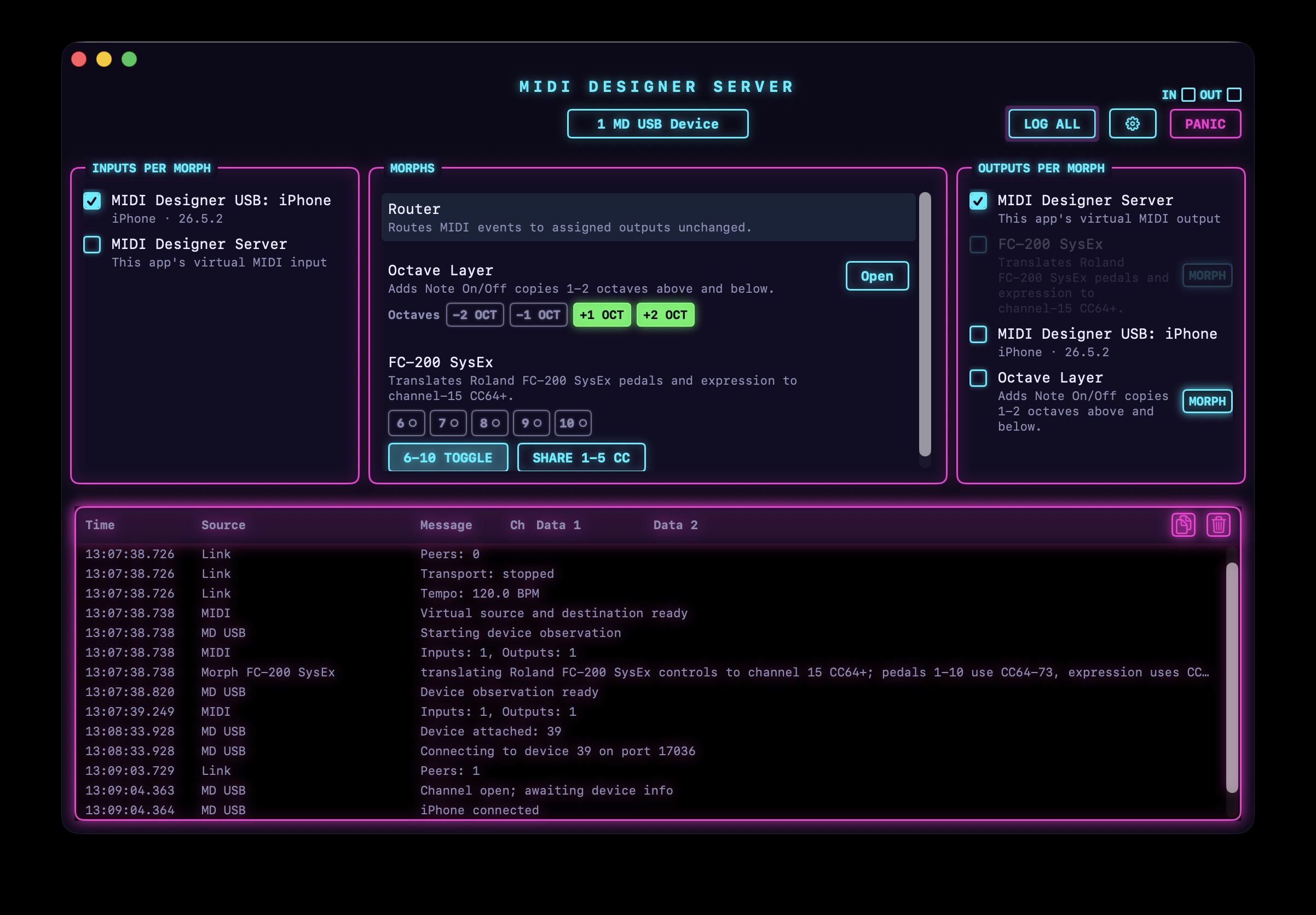
MIDI Designer Server connects MIDI Designer to your Mac and routes MIDI through configurable morphs to your instruments, apps, and DAW. Requires macOS 14 or later.
MIDI Designer Server
MIDI Designer Server: Link Looper
Control the Looper from MIDI Designer
Getting Started
- Download the DMG, open it, and drag MIDI Designer Server into Applications.
- Connect your iPhone or iPad to the Mac via USB.
- Open MIDI Designer on your device, then launch MIDI Designer Server.
- Confirm that the MIDI Designer USB connection appears in the server.
Routing MIDI
- Select a morph in the center Morphs panel.
- Under Inputs per Morph, enable the MIDI source that should feed that morph.
- Under Outputs per Morph, enable the instruments, apps, virtual ports, or other morphs that should receive its output.
- Repeat for each morph you want to use.
Open Settings to enable optional virtual MIDI ports or hide inputs and outputs you do not need.
Use PANIC if notes become stuck. Production is recommended for normal use; Beta provides early access to upcoming features for MIDI Designer Beta users.
Configure the Router Morph
The Router morph sends MIDI Designer data unchanged to an instrument, app, DAW, or another morph.1
- Select Router in the center Morphs panel.
- Under Inputs per Morph, enable MIDI Designer USB.
- Under Outputs per Morph, enable every destination that should receive MIDI Designer’s output.
- Move a control in MIDI Designer and confirm that MIDI activity appears.
Router forwards all supported MIDI messages, including notes, control changes, NRPN, program changes, pitch bend, aftertouch, and SysEx.23
-
Router can feed another morph to create a MIDI-processing chain before the final destination. ↩
-
MIDI Designer Server’s own control SysEx is handled internally and is not forwarded. ↩
-
MIDI real-time messages, such as MIDI Clock, Start, Continue, Stop, Active Sensing, and System Reset, are not forwarded. ↩