MIDI DESIGNER
The only MIDI controller for iPad, iPhone, and Mac


Talk to other MIDI Designer users about MIDI Designer, iOS MIDI and related topics. Or share layouts, pages, and ideas.

Check out our Facebook Group.

Of course, if you want to send us an email, feel free.

Open problem reports

Summary of user requests
Advanced Button Groups: 2 Button Groups, Exclude One Group? - MIDI Designer Q&A
0 votes
in Advanced by ctreitzell (460 points)
This looks quite impossible with MD, but just to clarify: when you press a button from group one, any button from group two goes off. The converse is not true. Is that correct? If there's any hope for a solution, it's going to be by using extra buttons that are hidden in performance mode, so group two only appears to be off (the hidden button is pressed). You also might need to group things in a totally different fashion than you would at first, assuming this is even possible in the end.

At the risk of stating the obvious, you should be trying experiments on a blank layout that doesn't look nice. Your real layout should be saved and probably mailed to yourself, so you can experiment freely.

Thanks!
Dan
Hi Dan,
thanks for the super fast reply =-D

Yes, you have understood what I am asking. I thought I'd ask in the event I was asking for something that has been covered before and that I just hadn't yet discovered. It took me some time to write it in words to convey what I have been trying to do. It is by no means a deal-breaker....I love MDP2 for my purposes and am planning creating further remote controls with MDP2.

So:
If the Group2 hidden button is pressed (ON state), I should think it would still send the midi message, which is not what I am after. One solution for my question is to require the Group 2 button to be manually pressed to an OFF state. I suppose making separate pages for the First and Second edition devices is worth experimentation as the FX settings panel sends the same values to both devices which is somewhat inflexible. My layout works very well as it is... I doubt anyone on the planet is employing the same use case that I am.

If I stumble upon a solution, I will post it.

As far as layout development, I always work on multiple copies with various names to ensure I do not lose any work and I back-up the files via itunes :-)

cheers,
_todd
Thanks, so your hidden button could send a sysex or some other message that doesn't alter anything, right? As long as the super for the group is marked as buttons-send-only-only, then a sysex or some other message is a no-op (does nothing). Right?

I'm still not sure this investigation will get us anywhere, but...
Hi Dan,
yes...hidden buttons could be set to send nothing messages :-) thanks for that.
I had thought there might be some way to use copied buttons...and they would send the same message.

Anyhow, I'm not actively working on a solution for this scenario...that said it would be nice if a solution was to surface and I will report back if I stumble upon a way to do this.

I have moved on to Lexicon PCM81 sysex, now...I'll ask about that in another thread.

1 Answer

0 votes

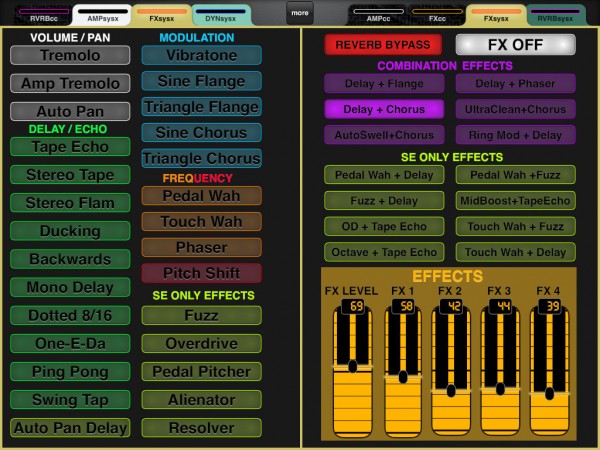
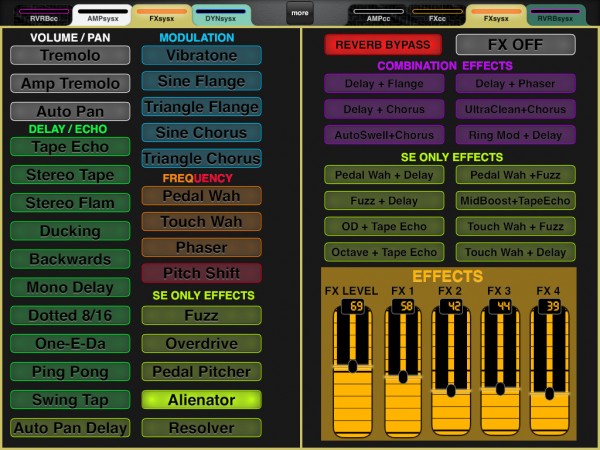
Can I download the app control all options for Fender Cyber Twin


MIDI Target Manufacturer(s): Other/Unlisted Maker
Is posible, any member has realized a app controller on Fender Cyber Twin SE Amp, for control of all options (diferents amps, effects, master, reverb, chorus, etc...).

Need search some app for base.

Thank you, very much.
Images
5600671718352408509-thumb-1.jpeg
by alejandro (170 points)
oh, sorry alejandro, this is my MDP" layout that does function quite well
I never put it up at mididesigner.com for others, though
I can do that if you and others are still interested

I'll look into how to get my CyberTwin layouts available to all :-)

With newer Hidden Panels possibilities, my layouts could be amended to show what FX are actually being controlled :-)

That would take some panel stacking work, which might take some time :-)
I've gotten back into re-building my remote layouts for CyberTwins as I have started using them again after a 3 year hiatus.

I've realized a lot omissions I made (ie: set expression and CC parameter remotely) and a quite a few mistakes (especially Rvb/FX bypass). I have already added Program Change pickers and am currently working on a kind of mirror of the hardware display with dynamic labels, because, in use, the picker text size is far too small.

I will be adding effect specific hidden panels and getting all the controls' units to reflect the hardware values. That means the FX panels will have to be "re-designed" to have enough space for the mnemonics syntax.

I might entertain getting the current parameters to reflect current parameter value status of the currently loaded program, yet that might be a bit beyond my capabilities...altho another user did start the process over on the Streambyter forum and his work is still posted there
...