Summary: Expert MIDI Designer layout author fdesnoyers shows some of the power of Named Ticks to reduce the number of controls in a layout. Fascinating!
Just a quick look at what "named tick" option can represent in building layouts with less controls (when applicable ...).
I modified my DT50 layout by using "named ticks" instead of using Super/Sub controls for some of them. Main goal was: "Hey! it's a rainy day, why not experiment new way of designing my layouts... "
So, what I did was keeping only SUPER controls, changed them to ROTARY format and assigned labels to each "ticks". Note that former SUPER controls are not "super" anymore as there is no SUB controls tied to them...
Result: same power with lot less controls to maintain/modify. No difference at all in "performance mode" but in "design mode", it eases debugging and altering layout since there are less interdependent controls to work with.
Super/Sub controls concept is very useful but this is only to show that sometimes you can achieve the same goal using different approach.
Layout in Design mode:
BEFORE
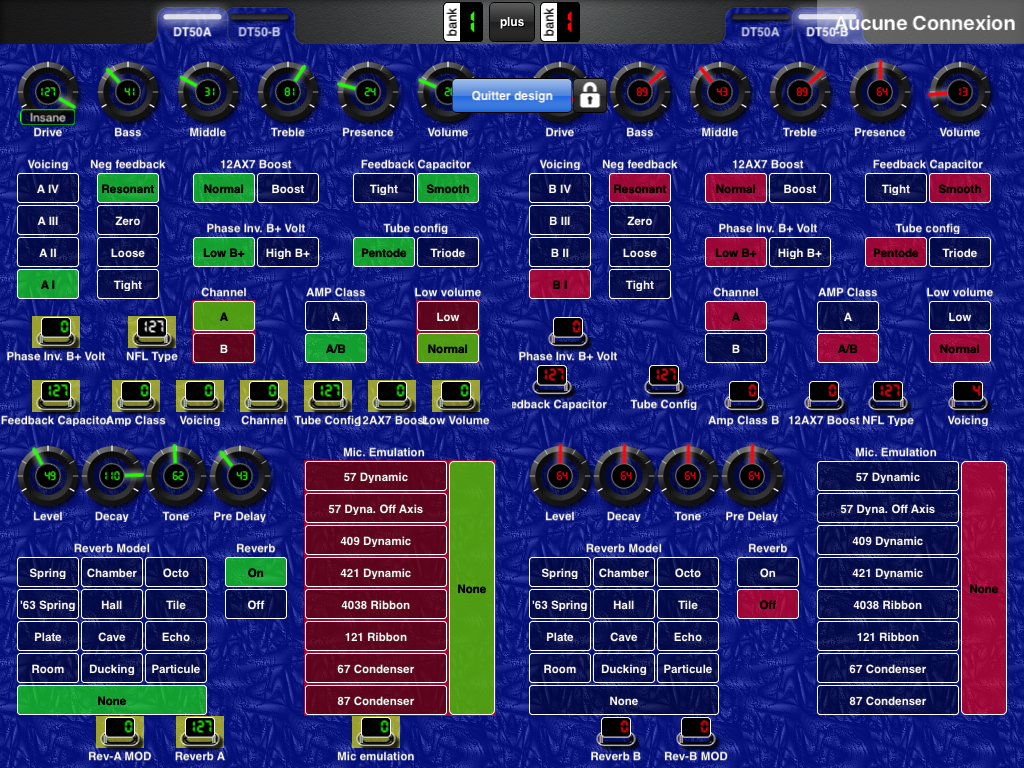
I kept Super/Sub method for controls with more than 4 options as it may become hard to remember full option list, hence "Named Tick" may be applicable in certain conditions... but not all.
Note: controls with RED backgrounds are copied controls, meaning that any change made on one will also be applied on its clones. Help identify which controls are autonomous and which are cloned. Great feature!!!
Images
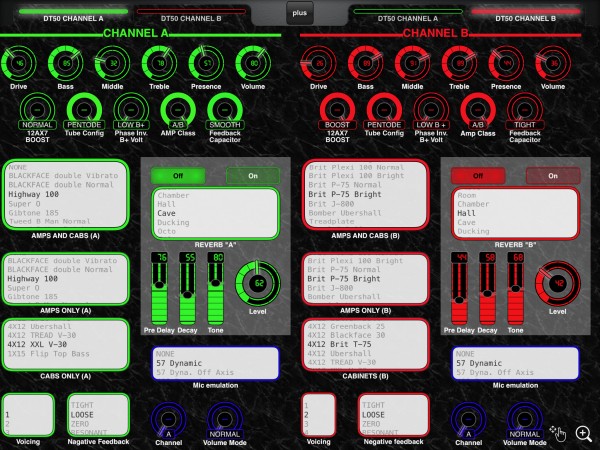 DT50 using named ticks

