Hi,
To ease your setup, simply use MIDI OUT on HD500 and connect it to GR55 MIDI IN using a short MIDI cable. On HD500, set MIDI OUT to TROUGH. Don't rely on POD to send CC Messages to GR55 (even if feasible) as it will by hard work for nothing, Using MIDI Designer is way more powerful!!!
Here's my MIDI daisy chain setup:

- POD HD500 MIDI SETUP
- Press and hold VIEW Button on your HD500 until you see SYSTEM menu. Go to page 6 and select OUT/THRU. This way, all MIDI CC messages not targeting your POD (Normally Channel 1 and 2 as DT only responds to Channel 1 and 2) will go "through" this port and reach any other devices with corresponding device MIDI Channel. Below: POD HD500 responds to Channel 1 (and 2) and MIDI OUT is set to THRU. Knowing that DT will listen to channels 1 and 2 (experience ...) make sure NOT to select these channels for other MIDI compatible devices in your gear chain.
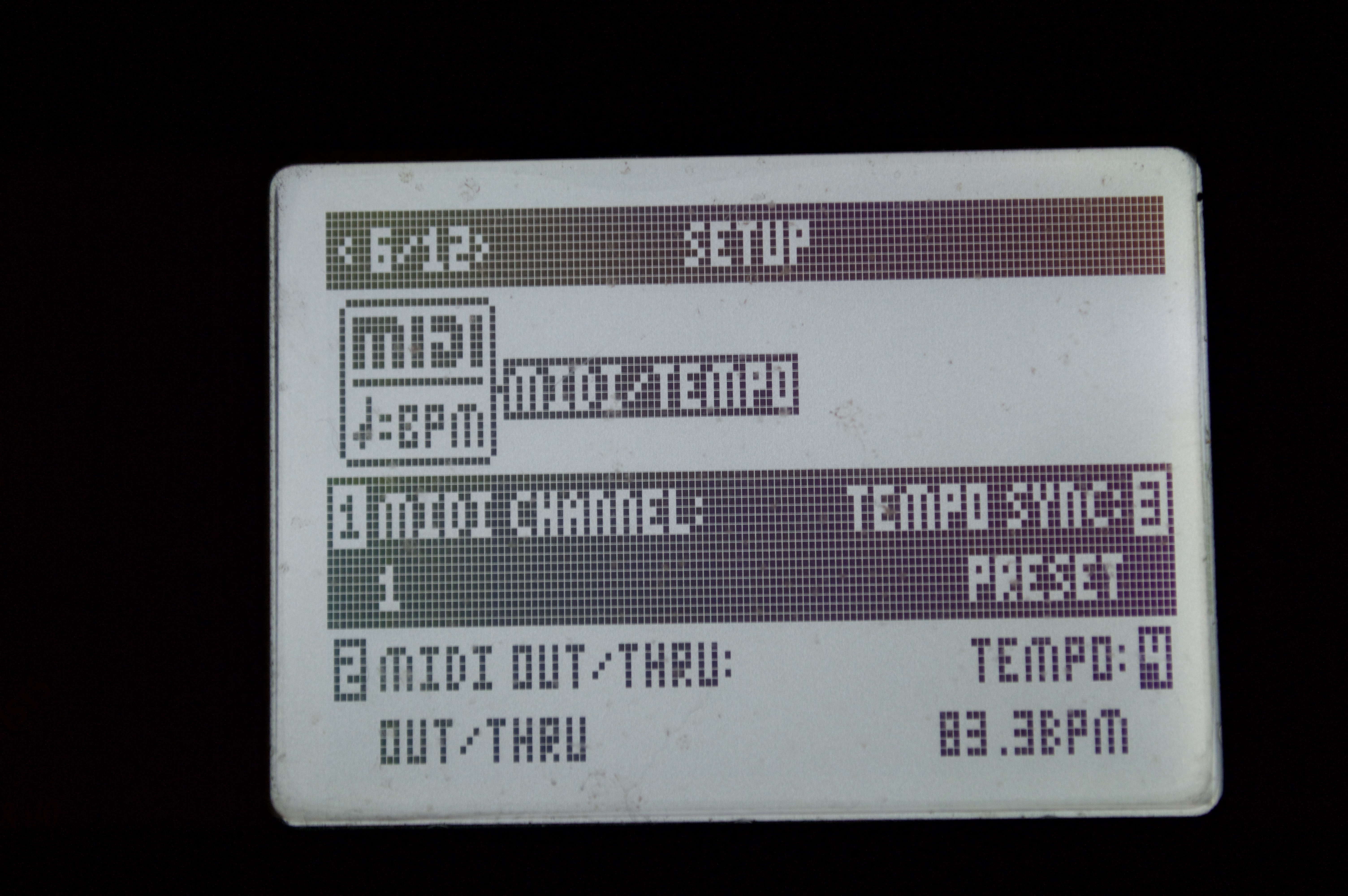
- Now, on GR55, set your preferred MIDI Channel (example below mine is set to 6).
- Press EDIT>SYSTEM>MIDI/USB then press ENTER
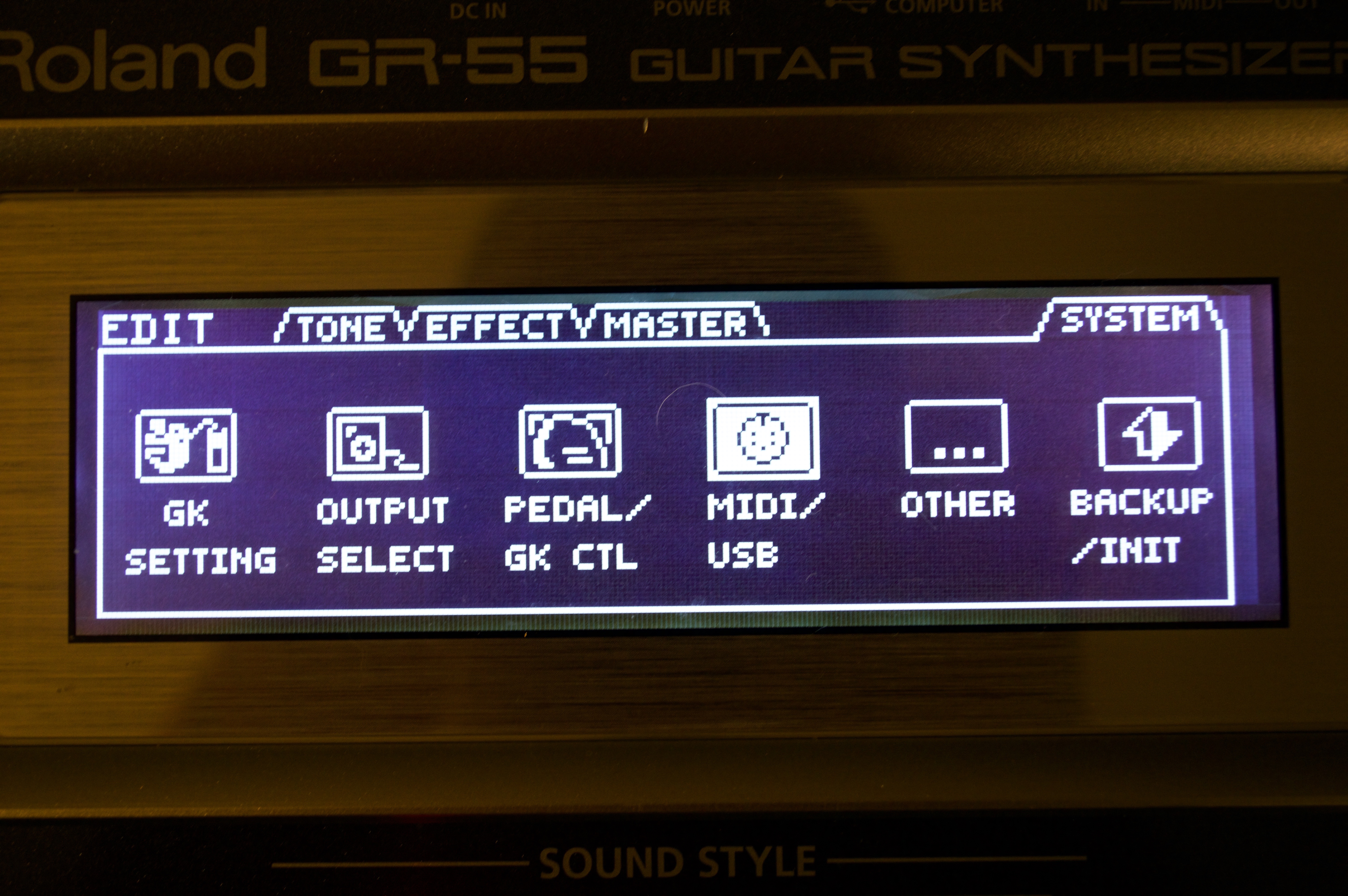
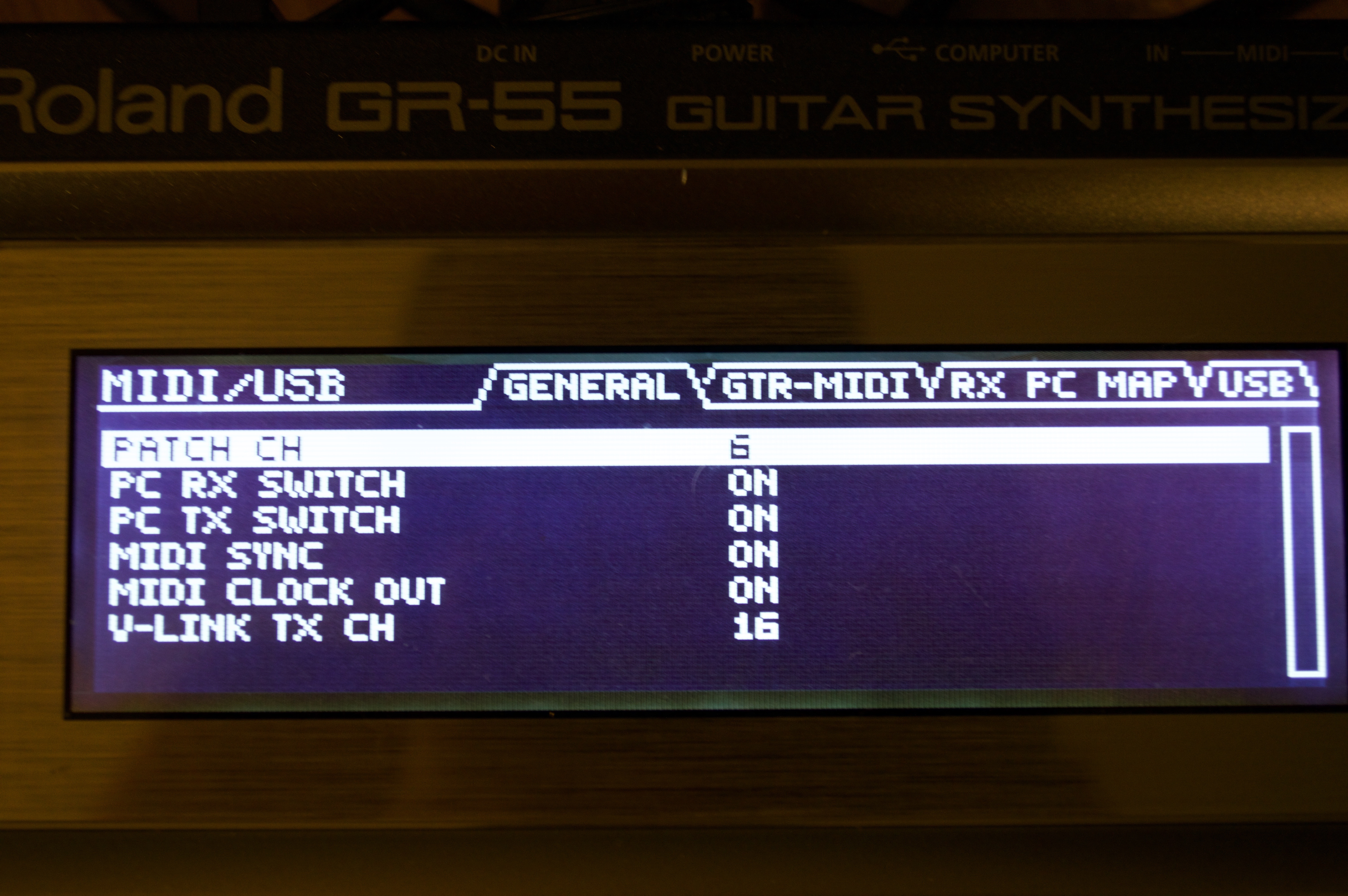
- Select whatever MIDI channel your want your GR55 to listen to (mine is set to 6). Make sure to select anything between 3 and 16.
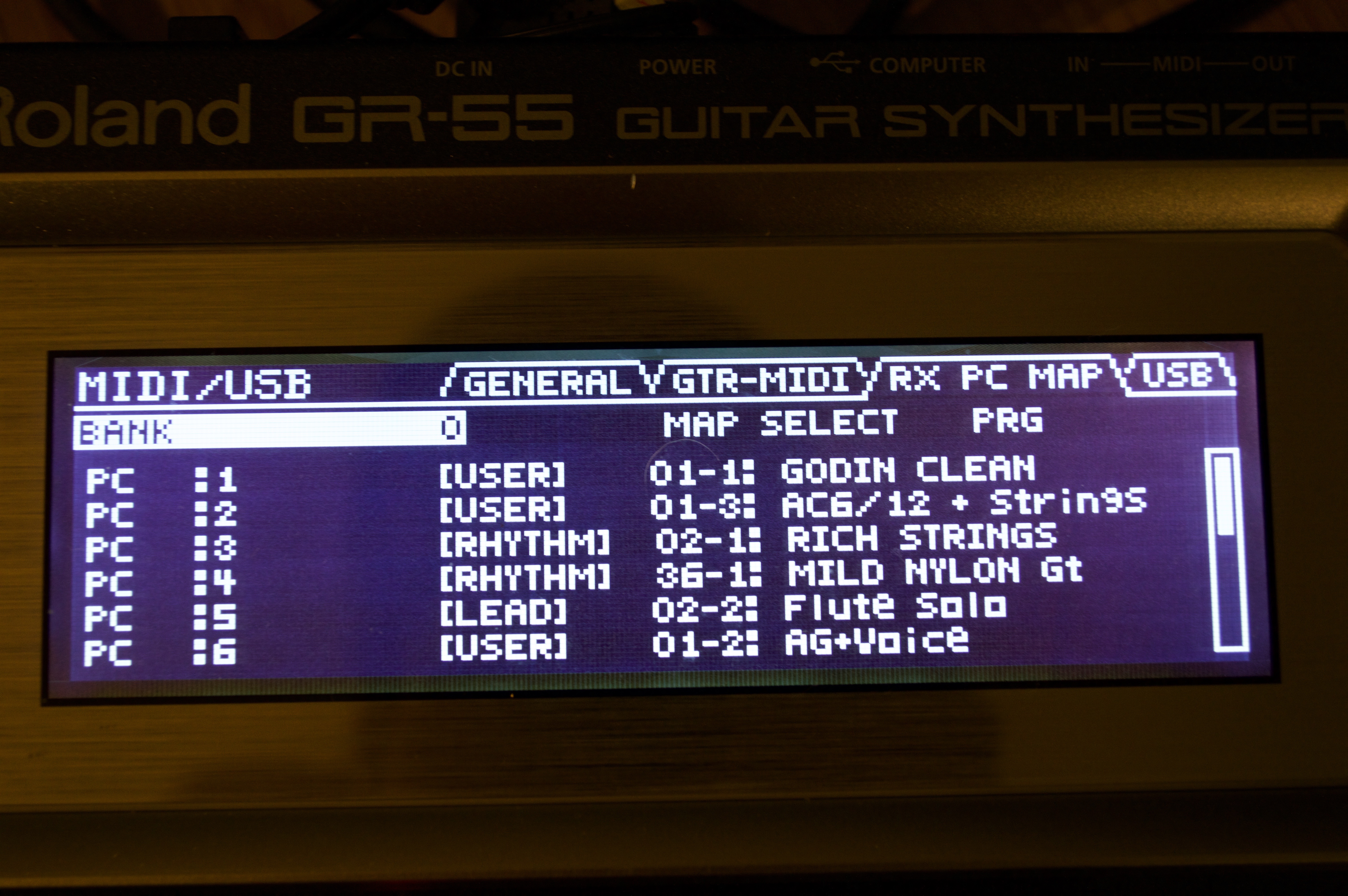
POD HD500 has fixed PGM Change arborescence while GR55 lets you decide which patch is loaded (user defined or factory presets) when you select PGM change number. Although it seems more work, it allows more flexibility as you can select any GR55 patch without wondering in what BANK it is located.
- Example Below:
- Sending PGM Change 1 sets GR55 to BANK=USER, preset = "Godin Clean" which is my NO SYTHN setup, only normal pickups sound is send on GR55 GUITAR OUT output connector.
- Sending PGM Change 2 sets GR55 to "AC6/12 (BANK=USER) + Full Strings" meaning that my LGXT is now using HEXA pickup and sends both acoustic guitar sounds and "Full Strings" sound to my console (yeah! I must use an A/B box for controlling routing but acoustic guitar signal in electric guitar amp had never been a winner...)
- Sending PGM Change 3 sets GR55 (BANK=RYTHM), preset = "Full Strings" meaning that my LGXT is now using HEXA pickup and sends Full Strings sound to my console. No "guitar " signal involved.
NOVA SYSTEM: same concept (MIDI Channel set to 4). Since NOVA SYSTEM has physical MIDI THRU port built-in, I placed the gear between my HD500 and my GR55.
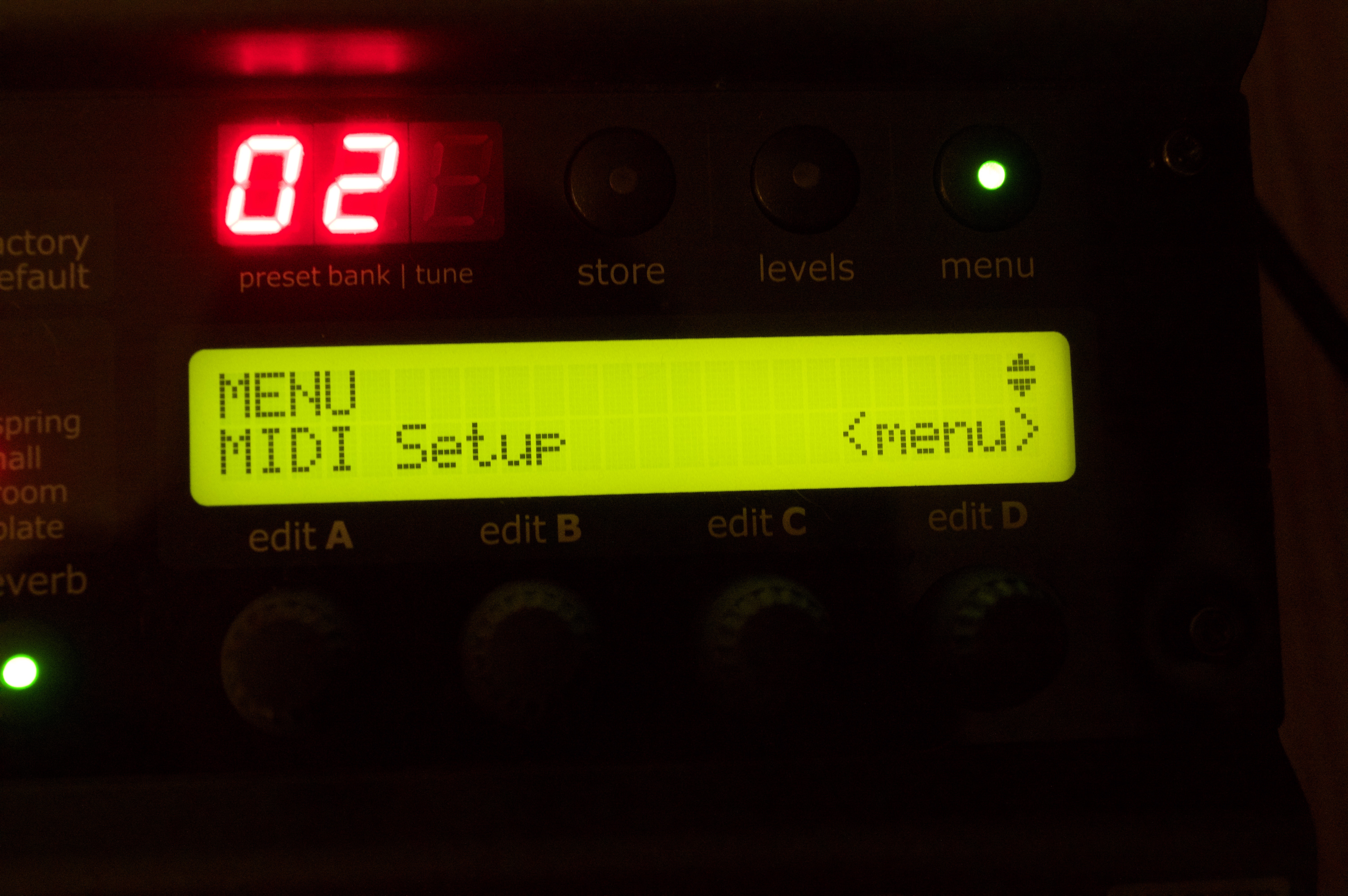
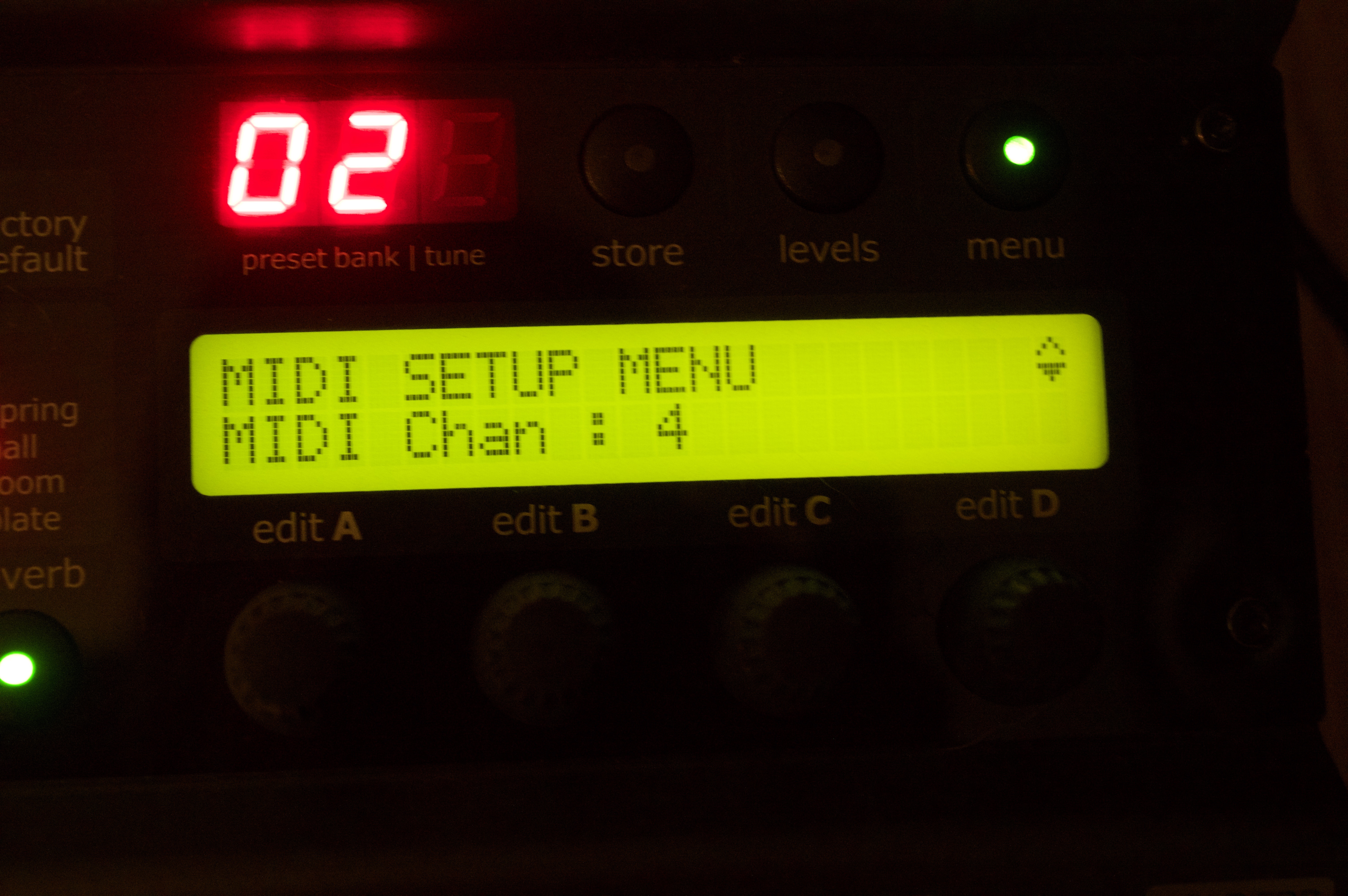
iPad is connected to HD500 MIDI IN and MIDI messages will travel in the chain as following:
- MIDI Messages set to CH 1-2 will be processed by POD HD500
- MIDI Messages set to CH 4 (NOVA SYSTEM) and CH 6 (GR55) are sent out on HD500 MIDI OUT port.
- MIDI messages set to CH 4 are processed by NOVA SYSTEM. Any other CH MIDI messages are sent out via NOVA SYSTEM MIDI THRU port.
- MIDI Messages set to CH 6 are processed by GR55.
Below: full gear setup

Hint: Always pick one of two ways to control your DT amp using MIDI: L6LINK OR "plain" MIDI (e.g. using MIDI Designer). If you prefer to use MIDI Designer to control DT amp, make sure NOT to connect L6LINK cable between your POD and DT amp. If you try to connect both L6LINK and MIDI cables in DT amp , signals will be conflicting as both L6LINK and MIDI Designer will try to send MIDI messages on same channels. L6LINK having higher priority over MIDI ports, messages coming from MIDI Designer will not be processed. This being said, you still can use L6LINK between AMPS, they will carry MIDI messages, without caring where it's coming from.
...hope it helps. Fell free to ask any question if required. Always remember that MIDI Designer is a real powerful tool hence less work on gear themselves.
Without MIDI Designer, I would never been able to maximize my gears setup. BIG thanks to Dan for offering this tool to musicians: more flexibility = more freedom and that's what MD is offering us!!!!

