This layout controls Native Instruments
Summary: Turn a single snare hit into a phrase. Two XY Pads put the timing, pitch movement and feedback of a REPLIKA XT delay throw under your fingers in Ableton Live.
Try it on the last snare before a break. Hold SEND for one hit, then let go. The track moves on while the echo keeps playing. Slide across the red pad to stretch the repeats. Move up to build feedback. On the blue pad, sweep Frequency Shift sideways to bend the echo into a metallic tail.
Both XY Pads drive the knobs you see below them through MIDI Designer Subcontrols. Feedback is shared, so either hand can ride the same parameter. Named Ticks give Delay Time eight rhythmic stops from 1/64 to 2/1. Switch between Straight, Dotted and Triplet to change the feel. Choose ms and a millisecond dial appears in the same spot. This dial swap uses Show/Hide Panels, a Premium feature.
How to Set Up in Live
- In Live’s MIDI settings, enable Remote for the MIDI Designer input.
- Put REPLIKA XT on Return B. Select Tape and enable Freq Shifter.
- Enter MIDI Map Mode. On channel 1, map SEND to the source track’s Send B. Map the four knobs to Time Mode, Delay Time, Feedback and FS Shift, then exit MIDI Map Mode. Both XY Pads use those knob mappings.
Using Another DAW
- Create an aux or effects return, insert REPLIKA XT and set its mix fully wet. Select Tape and enable Freq Shifter. On the track you want to echo, create a send to that return and turn the send all the way down.
- Enable MIDI Designer as a controller input. Using your DAW’s MIDI Learn or controller assignments, map SEND (channel 1, CC20) to that track’s send level. Set the bottom of the range to silence and the top to the amount of signal you want to throw into the delay.
- On the same channel, map CC21 to Time Mode, CC22 to Delay Time, CC23 to Feedback and CC25 to FS Shift. Learn the four knobs individually. The XY Pads will follow. If your DAW offers macros for plug-in parameters, you can map through those.
Try it on one snare hit. Hold SEND for the hit and release it before the next one. You should hear the first hit echo while the next stays dry.
Change Log
1.0 — 2026-11-25: Initial release of the standalone REPLIKA XT performance layout.
Images
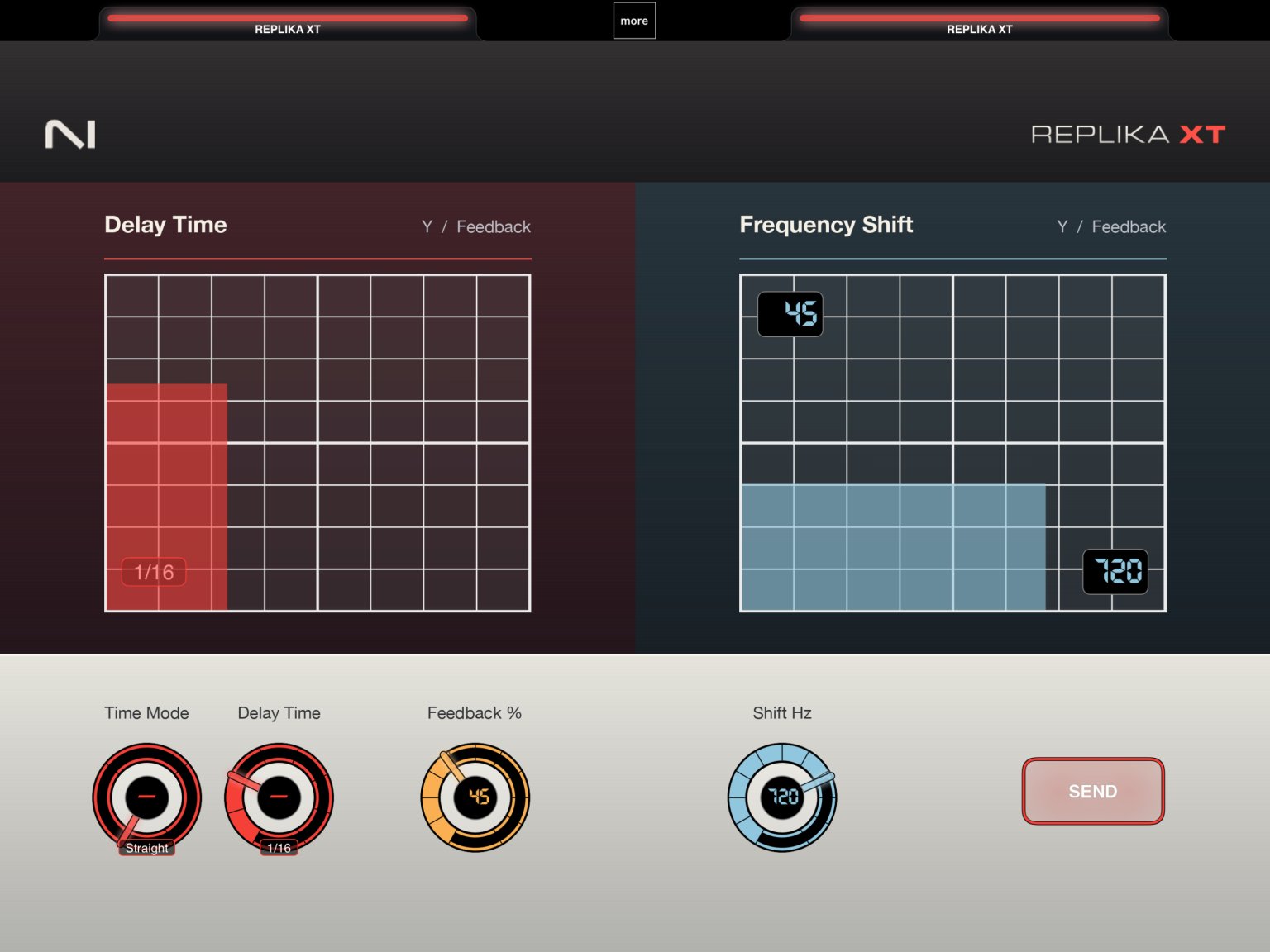 Straight time — Delay Time and Frequency Shift each share Feedback
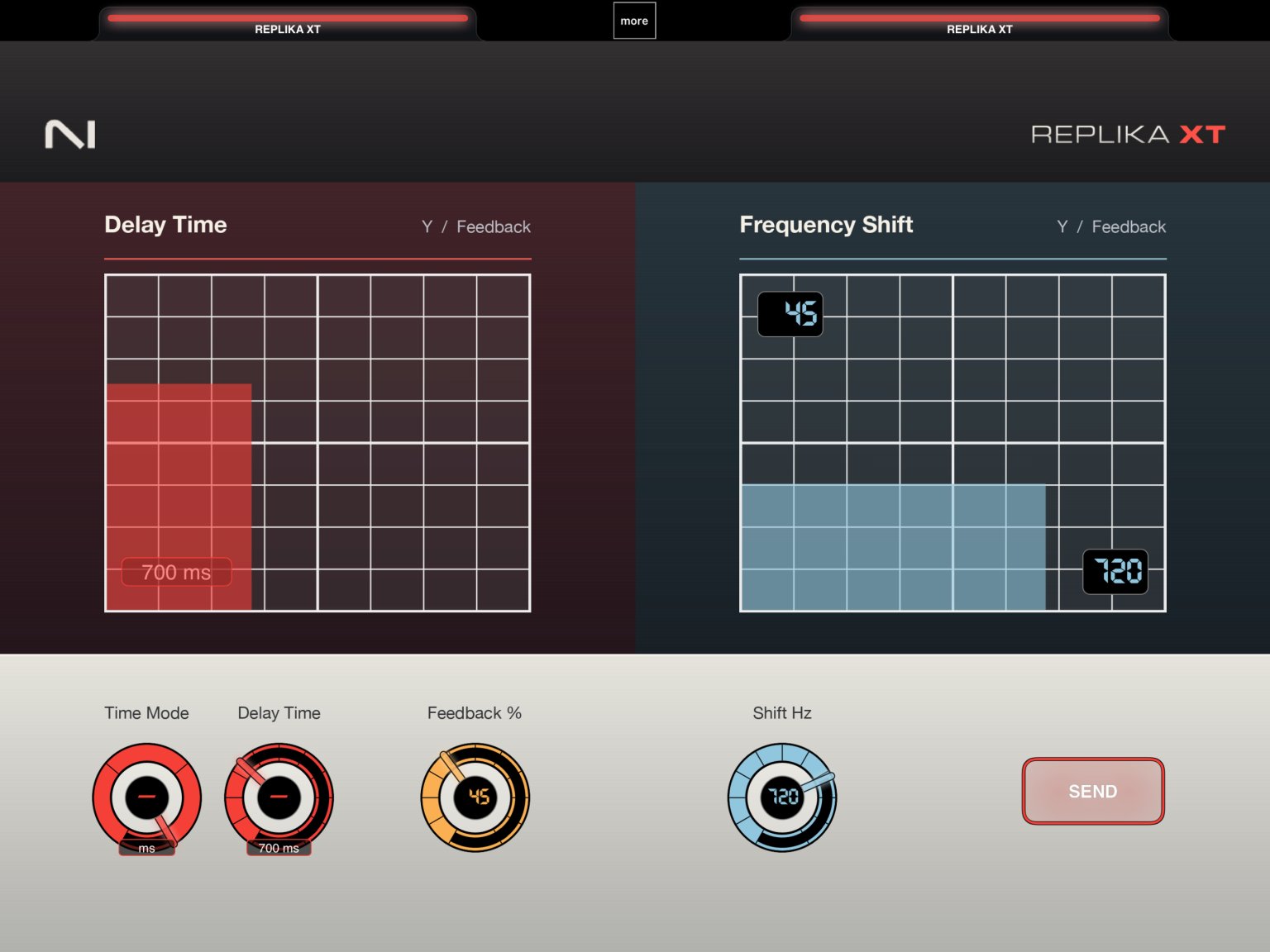 Milliseconds — the Delay Time dial changes scale in place

