Create a knob with named ticks, a channel changer I and control both with a supercontrol.
MIDI Target Manufacturer(s): Original, Generic
You guys! Getting excited here with this solution, I uploaded it. Please check if I ‘m right.
Set it up:
Normal knob like earlier on described and the channel changer I ( no preset) BUT: ADD an extra supercontrol for both.
Set normal knob in menu options as a sub on ‘send current value’
The extra supercontrol will add the missing L byte as a variable.
When using a named tick list you can enter the non variable sysex values in the list.
Try it and thanks Dan, I followed a few suggestions you made in another thread but I didn’t see those followed up. https://mididesigner.com/qa/2053/controlling-the-channel-changer?show=2053#q2053
Update:
Only thing that’s off is the double sysex messages, Nic from Audeonic came with a fantastic streambyter output script to filter out the doubles:
IF M0 == F0 41 00 00 # roland sysex
IF M7 == 12 60 00 # KATANA
# detect dupe message within last 100ms
# If is a dupe, set L83 to 1
ASS L83 = 0 # assume not a dupe
# compare message with previous
# previous data of katana message is in
# L80-2 (address+value)
IF MA == L80 L81 L82
# use a timer variable to limit
# the compare window
IF T0 < 1000
ASS L83 = 1
END
END
# always remember the last message (address+val)
# into L80-2
ASS L80 = M0A M0B M0C
IF L83 == 0
# we have a new message, so you put your code
# that processes the message inside this IF/END
END
# dupe, message should be blocked
IF L83 == 1
XX = XX +B
END
END
END
Thanks so much mididesigner and Audeonic, you guys rock!
Cheers,
Gurbz
Downloads: 563
20,000 knobs in one. - Updates: ‘send on release only’ added for one knob, the Audeonic streambyter script added
Downloads: 563
Images
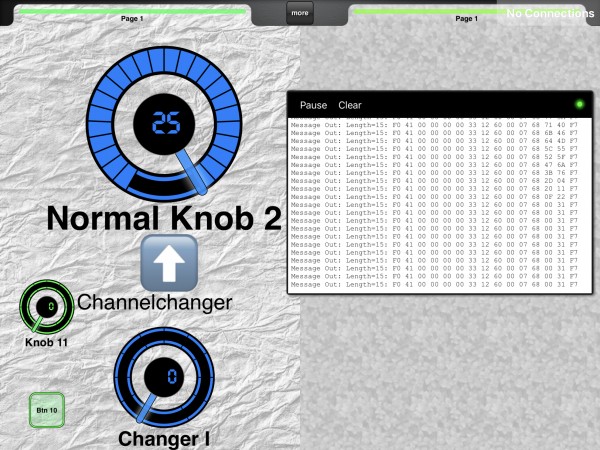 Image 1
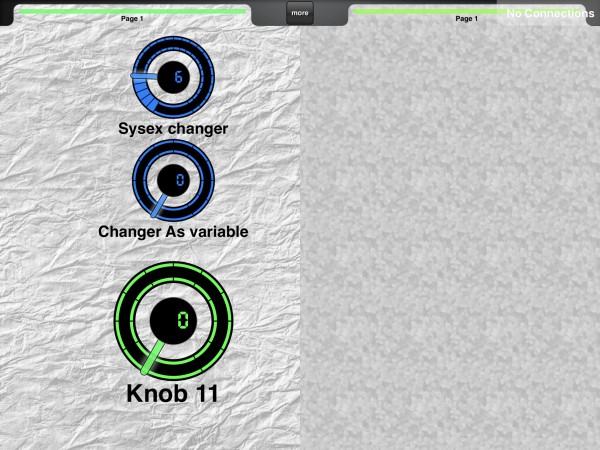 Image 2

